
Mastering Python’s `collections` Module for Real-World Data Challenges
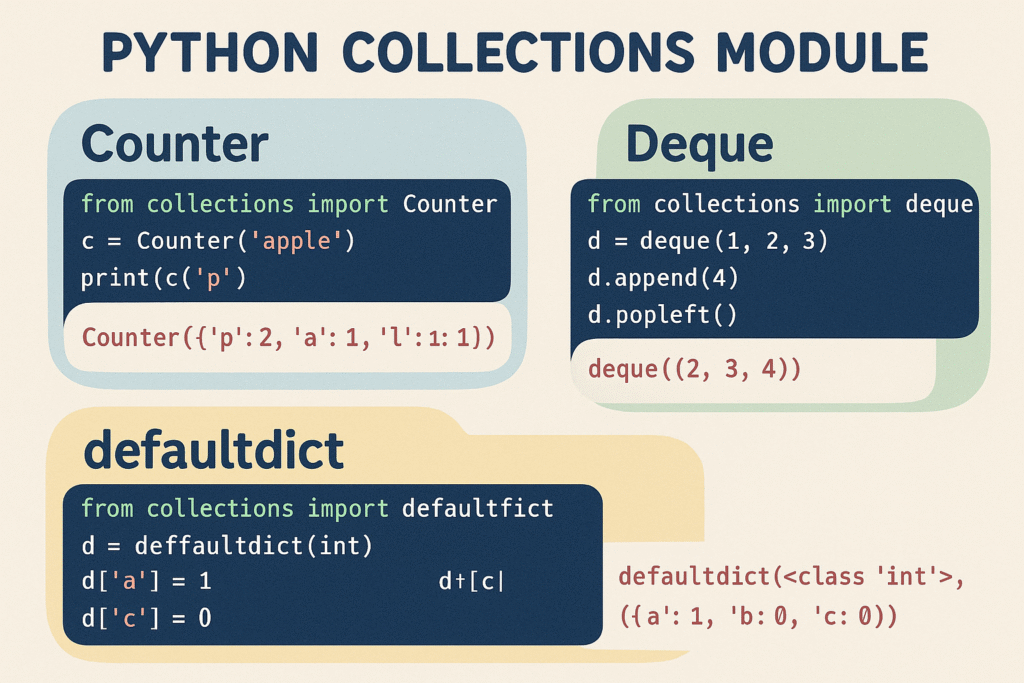
In the vast expanse of the Python standard library, the `collections` module stands out as an underutilized treasure trove for efficient data handling. It provides specialized data structures which greatly enhance the core functionality Python lists, sets, and dictionaries offer. In this blog post, we will dive into how you can leverage `Counter`, `Deque`, and `defaultdict` to tackle real-world data handling challenges with finesse and efficiency.
1. Counting with `Counter`
The `Counter` is a dictionary subclass designed specifically for counting hashable objects. It’s akin to collections in everyday life such as a bag of marbles where you need to find out how many of each color you have.
from collections import Counter

data = ['apple', 'banana', 'orange', 'banana', 'apple', 'apple']
fruit_count = Counter(data)

print(fruit_count)
# Output: Counter({'apple': 3, 'banana': 2, 'orange': 1})
With `Counter`, you automatically get dictionary-like operations such as finding the most common elements.
most_common_fruits = fruit_count.most_common(2)
print(most_common_fruits)
# Output: [('apple', 3), ('banana', 2)]
This is particularly useful in data analysis where frequency of items is essential, such as log analysis or computing term frequencies in NLP applications.
2. Efficient Queue Management with `Deque`
For tasks that require adding and removing elements from both ends of a queue efficiently, `Deque` (double-ended queue) provides an O(1) time complexity for these operations. This is a perfect fit for algorithmic challenges such as the sliding window technique.
from collections import deque

queue = deque(['task1', 'task2', 'task3'])
queue.append('task4')
# Append to the right
queue.appendleft('task0')
# Append to the left

print(queue)
# Output: deque(['task0', 'task1', 'task2', 'task3', 'task4'])

queue.pop()
# Remove from the right
queue.popleft()
# Remove from the left

print(queue)
# Output: deque(['task1', 'task2', 'task3'])
Use cases of `Deque` span server program job queues, undo mechanisms in applications, and breadth-first search in graphs.
3. Automatic Dictionary Initialization with `defaultdict`
`defaultdict` simplifies handling dictionaries where each key maps to a list, set, or some default type which is key in avoiding errors due to missing keys.
Picture you are handling a list of names categorized by their initial letter:
from collections import defaultdict

names = ['Alice', 'Bob', 'Charlie', 'David', 'Eva']

name_dict = defaultdict(list)
for name in names:
    name_dict[name[0]].append(name)

print(name_dict)
# Output: defaultdict(, {'A': ['Alice'], 'B': ['Bob'], 'C': ['Charlie'], 'D': ['David'], 'E': ['Eva']})
This pattern emerges frequently in parsing data files and logs, creating adjacency lists for graphs, and other scenarios requiring dynamic dictionary creations.
4. Real-World Optimization and Performance Considerations
The data structures in the `collections` module not only provide semantic clarity to your code but also offer performance advantages. For instance, a `Counter` can replace manual dictionary counting loops allowing for more Pythonic and thus more readable code. Similarly, for tasks that require frequent insertions or deletions from both ends, `Deque` is far superior to using a list due to its O(1) complexity.
While these optimizations might be trivial in small-scale scripts, they can significantly impact performance in larger data pipelines and applications dealing with voluminous data.
5. Conclusion
By incorporating the `collections` module in your arsenal of tools, you can solve data challenges with elegance and efficiency. Whether counting frequency of events, managing a queue with flexing ends, or organizing data entries with auto-initialized dictionaries, these structures provide robust solutions under the hood.
Brush up on these tools, adopt them in your projects, and you’ll find yourself writing cleaner, faster, and more effective Python code.
Useful links: