
ETL Pipeline Creation with Python Pandas and SQLAlchemy
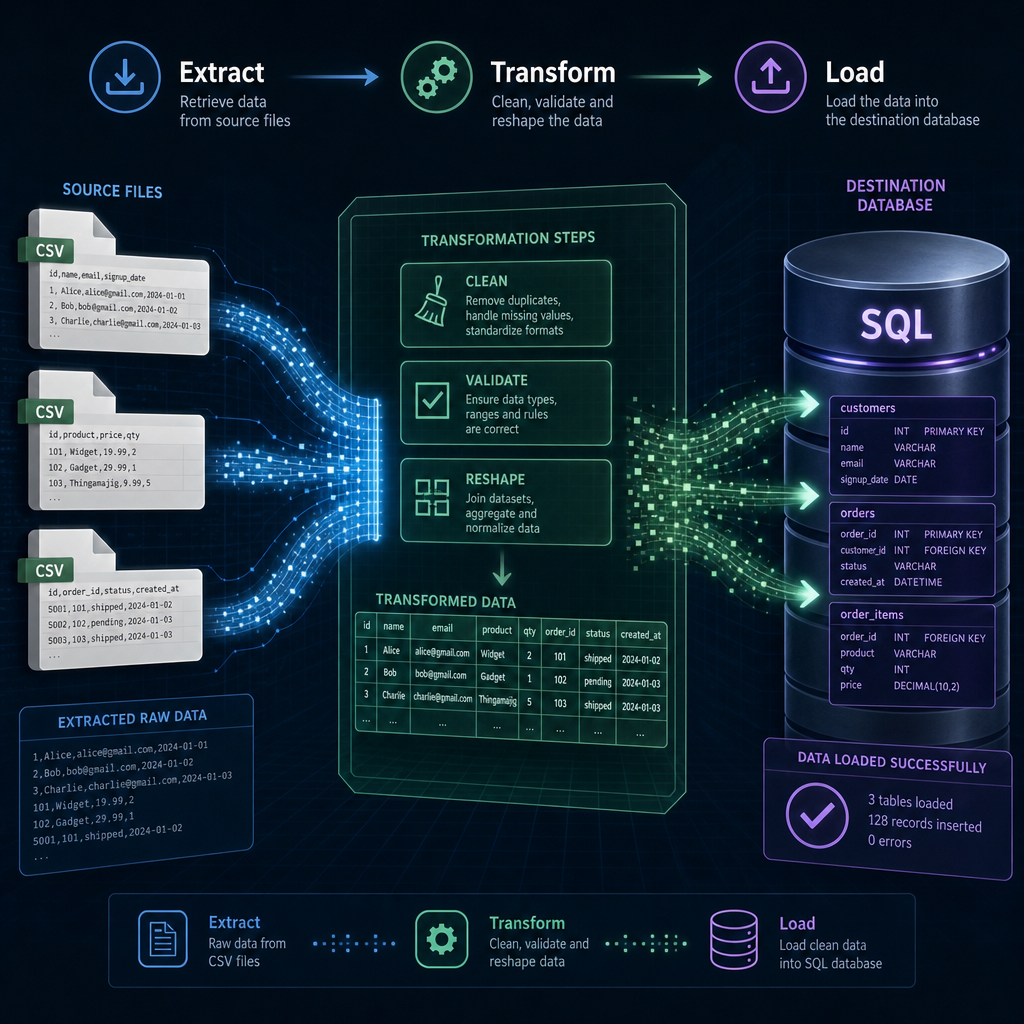
In today’s data-driven world, effective data management is crucial. One way to efficiently handle data is by using an ETL pipeline. ETL stands for Extract, Transform, Load. It’s a process that extracts data from different sources, transforms it into a suitable format, and loads it into a destination database. In this tutorial, we will walk through creating a basic ETL pipeline using Python’s Pandas and SQLAlchemy libraries.
1. Setting Up the Environment
Before we start building our ETL pipeline, we need to set up our development environment. Make sure you have Python installed on your machine. We will need two primary libraries: Pandas, to manipulate data, and SQLAlchemy, to work with SQL databases.
pip install pandas sqlalchemyOnce installed, we’ll also configure a simple SQLite database which SQLAlchemy can interact with. SQLite is a lightweight database that is perfect for demonstration purposes and small to medium projects.
2. Extract: Reading Data with Pandas
The first step in our ETL pipeline is to extract data from a source. In this tutorial, our data source will be a CSV file. Let’s assume we have a file called data.csv that contains user information. Pandas provides a simple method to read CSV files:
import pandas as pd

# Load data from CSV file
data = pd.read_csv('data.csv')
print(data.head())
This code snippet will read the CSV file into a Pandas DataFrame, which allows us to easily inspect and manipulate our data. The head() function shows the first few rows so we can understand the structure of the data.
3. Transform: Data Cleaning & Manipulation
Once the data is extracted, we need to transform it. Data usually requires cleaning and restructuring. This could involve renaming columns, handling missing values, or altering data types. Below is an example where we clean the data by dropping rows with missing values and renaming columns:
# Drop rows with missing values
data = data.dropna()

# Rename columns
data = data.rename(columns={'Name': 'name', 'Age': 'age'})

print(data.head())
These transformations prepare our data for loading into the database, ensuring it fits any schema constraints or analysis requirements.
4. Load: Storing Data in SQL Database
The final step in our ETL process is to load the transformed data into a database. We will use SQLAlchemy for this task. First, we need to create a connection to the SQLite database:
from sqlalchemy import create_engine

# Create engine
engine = create_engine('sqlite:///users.db')

# Load data into SQL database
data.to_sql('users', con=engine, if_exists='replace', index=False)
This code snippet establishes a connection to our SQLite database and uses the to_sql() method to load the data into a table named ‘users’. The if_exists='replace' parameter ensures that the table is replaced each time we run the script, allowing for easy testing and reloading of data.
5. Performance Optimization Tips
As your volume of data grows, consider a few performance optimization strategies:
- Batch Processing: Load large datasets in chunks using Pandas’
chunksizeparameter. - Schema Design: Ensure your database schema is optimized for the types of queries you intend to run.
- Indexing: Index columns that are often used in filters and joins to speed up query performance.
With these considerations, your ETL pipeline can handle larger and more complex datasets efficiently.
And there you have it, a complete ETL pipeline using Pandas and SQLAlchemy. This foundational setup can be expanded to accommodate more complex transformations and multiple data sources, providing a powerful tool in the data engineer’s toolkit.
Useful links: