
Mastering Python Decorators: Patterns, Use Cases, and Best Practices
Introduction: What Are Decorators in Python?
Decorators are one of Python’s most powerful language features, providing a clean syntax for modifying or extending the behavior of functions and classes. At their core, decorators are simply callable objects that take a function as an argument and return a new function with enhanced functionality. Recognizing and using decorators opens the door to elegant code reuse, aspect-oriented programming, and simplifying cross-cutting concerns such as logging, authentication, and performance measurement.
This article explores the ins and outs of Python decorators, practical implementation patterns, real-world use cases, advanced customization, and best practices. Along the way, we’ll provide code that works in Python 3.8+ and clear explanations for efficient, production-ready usage.
1. The Basics: Function Decorators and Syntax
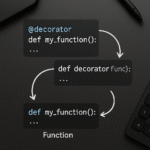
Decorators are applied to functions with the @decorator_name syntax just above the function definition. Let’s start by creating a simple logger decorator, explaining how and why it works.
def simple_logger(func):
    def wrapper(*args, **kwargs):
        print(f"Calling {func.__name__} with args={args} kwargs={kwargs}")
        return func(*args, **kwargs)
    return wrapper

@simple_logger
def add(a, b):
    return a + b

result = add(3, 4)  # Output: Calling add with args=(3, 4) kwargs={}
print(result)       # Output: 7
Here, simple_logger is a decorator that logs each call’s parameters. The key is that wrapper captures positional and keyword arguments, passes them through, and can do pre- and post-processing. Try this pattern to add logging, debugging, or tracking to existing code without modifying every function body.
2. Parameterized Decorators: Customizing Behavior
What if you want to pass extra data to your decorator (like a log level or threshold)? For this use case, you need decorator factories: decorators that accept arguments and return a decorator function.
def repeat(n):
    def decorator(func):
        def wrapper(*args, **kwargs):
            for _ in range(n):
                func(*args, **kwargs)
        return wrapper
    return decorator

@repeat(3)
def greet(name):
    print(f"Hello, {name}!")

greet("Alice")
# Prints:
# Hello, Alice!
# Hello, Alice!
# Hello, Alice!
This flexible pattern is widely used for retry policies, caching with expiration, and rate limiting. Keep in mind that each layer of function nesting matches an additional set of parentheses in the decorator application.
3. Real-World Use Case: Authorization & Access Control
Decorators shine when extracting repetitive pre- or post-conditions from web frameworks or APIs. Here’s how you could write an @requires_admin decorator for access control in a Flask-like app:
from functools import wraps

def requires_admin(func):
    @wraps(func)
    def wrapper(*args, **kwargs):
        user = kwargs.get('user')
        if not user or not user.is_admin:
            raise PermissionError("Admin privileges required.")
        return func(*args, **kwargs)
    return wrapper

@requires_admin
def delete_user(user, username):
    print(f"Deleted user: {username}")
The @wraps(func) call preserves the original function’s metadata (name, docstring), which is critical for debugging, introspection, and frameworks that inspect decorated functions.
4. Chaining Multiple Decorators & Composition
Python lets you stack multiple decorators atop a single function, allowing composition of effects. Consider:
def log_entry(func):
    def wrapper(*args, **kwargs):
        print(f"Entering {func.__name__}")
        return func(*args, **kwargs)
    return wrapper

def log_exit(func):
    def wrapper(*args, **kwargs):
        result = func(*args, **kwargs)
        print(f"Exiting {func.__name__}")
        return result
    return wrapper

@log_exit
@log_entry
def process_data(x):
    return x * 2

process_data(5)
# Output:
# Entering process_data
# Exiting process_data
Decorators apply from the bottom up (so @log_entry happens first here). For advanced use, create utility decorators and chain them for cross-cutting concerns such as security, error handling, and resource cleanup.
5. Performance, Tooling, and Best Practices
- Performance Tips: Decorators add function call overhead and increase stack depth. In critical sections, benchmark and optimize. Consider using Cython or built-in decorators like
@functools.lru_cachefor caching-heavy paths. - Debugging: Always use
functools.wrapsin your wrappers to preserve function signatures and docstrings, which helps debugging, code browsing, and test tooling. - Code Organization: Place generic decorators in a
utils/decorators.pymodule to reuse across projects. Document their expected behavior clearly.
Here’s a handy performance timer decorator using time.perf_counter:
import time
from functools import wraps

def timeit(func):
    @wraps(func)
    def wrapper(*args, **kwargs):
        start = time.perf_counter()
        result = func(*args, **kwargs)
        end = time.perf_counter()
        print(f"{func.__name__} took {end-start:.4f}s")
        return result
    return wrapper

@timeit
def slow_func():
    time.sleep(1)

slow_func()
# Output: slow_func took 1.000x s
Conclusion: Embracing Decorators for Cleaner Code
Python decorators are more than a syntactic sugar—they unlock modular, DRY (Don’t Repeat Yourself) code that is easier to maintain and scale. Whether you’re building web APIs, command-line tools, or data pipelines, mastering decorators will elevate your designs and productivity. Experiment with the patterns above, look into popular open-source decorators, and profile your code to ensure both correctness and speed!
Useful links: