
Mastering Asynchronous Programming in Python with asyncio
Asynchronous programming enables developers to write code that can handle multiple tasks seemingly at the same time—making software faster, more efficient, and highly responsive even when faced with operations that usually block execution. In Python, the asyncio library is the go-to tool for building highly concurrent applications, such as web servers, bots, networked tools, and more.
In this guide, we’ll dive into the essentials of asyncio—including its core concepts, hands-on code samples, and best practices for performance and maintainability. Whether you’re building high-throughput APIs or simply looking to run tasks in parallel without threads, this post will get you productive with async Python.
1. Understanding Asynchronous Programming and asyncio
Traditional Python code runs synchronously: each operation finishes before the next begins. This becomes a bottleneck in I/O-bound scenarios, such as making API calls or reading files. Asynchronous programming allows functions to yield control and resume later, keeping your program responsive.
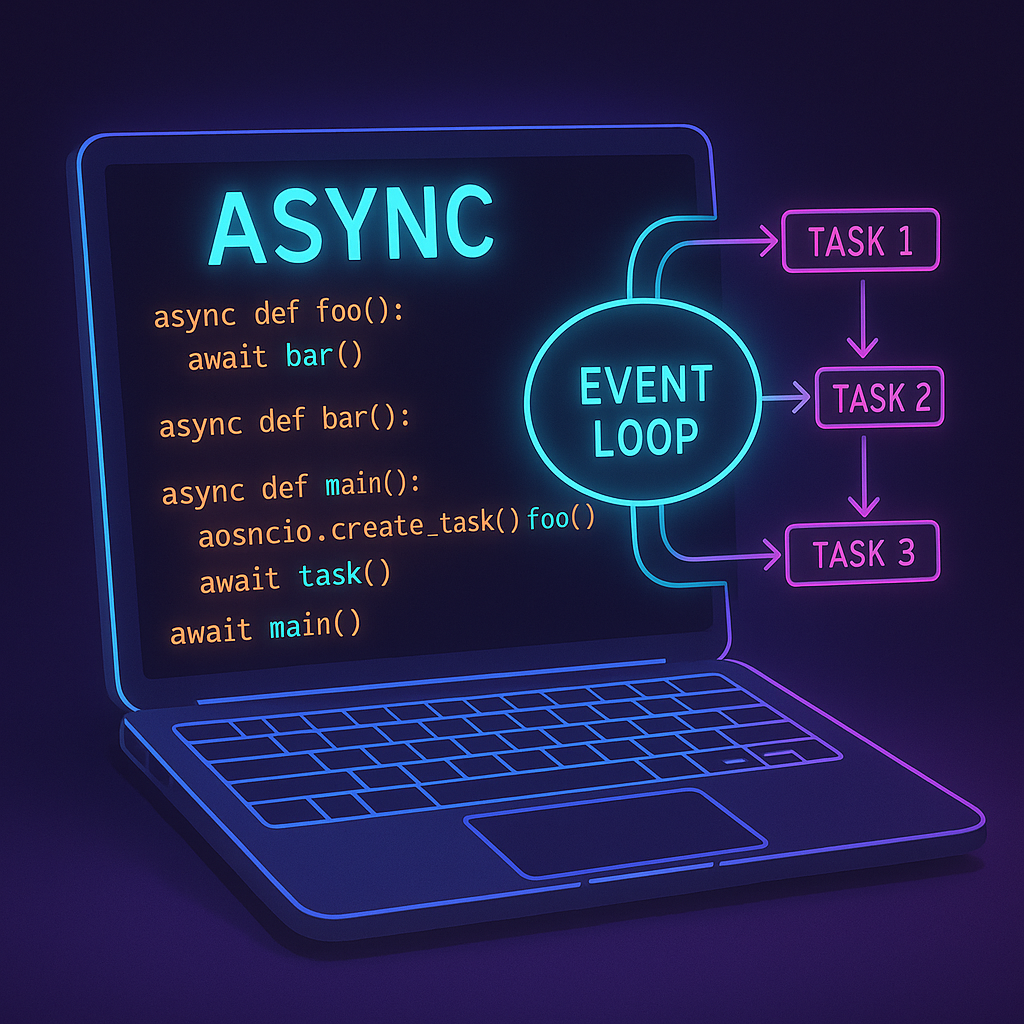
The asyncio library brings this style to Python. At its heart are the async and await keywords, enabling you to define coroutines that pause at await and let other code run in the meantime.
import asyncio

async def main():
    print('Hello ...')
    await asyncio.sleep(1)
    print('... world!')

asyncio.run(main())
How it works: The main function is declared as async. When await asyncio.sleep(1) is called, the event loop pauses this function and can run others. After the pause, it resumes.
Tip: Use async for I/O-bound or high-latency tasks, not for pure CPU work. For CPU-bound tasks, use threading or multiprocessing.
2. Running Multiple Tasks Concurrently
One of asyncio’s major benefits is running many I/O tasks in parallel. This is where asyncio.gather() shines: it schedules multiple coroutines to run together and waits for all to finish.
import asyncio

async def fetch_url(url):
    print(f'Starting {url}')
    await asyncio.sleep(2)
    print(f'Finished {url}')

async def main():
    urls = ['https://a.com', 'https://b.com', 'https://c.com']
    tasks = [fetch_url(url) for url in urls]
    await asyncio.gather(*tasks)

asyncio.run(main())
Why it works: All fetches start together. While each fetch_url is sleeping, others can progress. Real network calls work the same way – when one waits for data, others run.
Performance note: With asyncio.gather, total runtime is close to the duration of the slowest single task, not the sum of all task durations.
3. Making Real HTTP Requests Asynchronously
Let’s fetch real web content using aiohttp, an asynchronous HTTP client built to work seamlessly with asyncio.
import asyncio
import aiohttp

async def fetch(session, url):
    async with session.get(url) as response:
        html = await response.text()
        print(f'{url[:30]}...: {len(html)} bytes')

async def main():
    urls = [
        'https://www.python.org',
        'https://docs.python.org',
        'https://pypi.org',
    ]
    async with aiohttp.ClientSession() as session:
        tasks = [fetch(session, url) for url in urls]
        await asyncio.gather(*tasks)

asyncio.run(main())
How and why: aiohttp manages HTTP sessions and requests asynchronously, letting your app handle many network calls without blocking while waiting for responses.
Best practice: Always use async with for aiohttp sessions/requests to ensure proper cleanup and avoid resource leaks.
4. Controlling Concurrency: Semaphores and Queues
When calling dozens or hundreds of APIs simultaneously, servers may throttle you, or your app may hit bandwidth limits. asyncio.Semaphore and asyncio.Queue help you process tasks in manageable batches.
import asyncio
import aiohttp

async def fetch_limited(sem, session, url):
    async with sem:
        async with session.get(url) as response:
            await asyncio.sleep(1)
            print(f'Fetched {url} ({response.status})')

async def main():
    sem = asyncio.Semaphore(3)  # Max 3 tasks at once
    urls = [f'https://httpbin.org/delay/{i}' for i in range(1, 8)]
    async with aiohttp.ClientSession() as session:
        tasks = [fetch_limited(sem, session, url) for url in urls]
        await asyncio.gather(*tasks)

asyncio.run(main())
How and why: The Semaphore limits concurrency by only allowing three fetch_limited calls to run at once. This avoids overwhelming remote servers or your own resources.
Tip: Use asyncio.Queue for producer/consumer pipelines, such as task workers or streaming data processors.
5. Error Handling and Timeout Management
Async code often faces network delays or failures. asyncio makes it easy to add timeouts and robust error handling. Use asyncio.wait_for to bound execution time, and try/except to handle exceptions:
import asyncio
import aiohttp

async def safe_fetch(session, url):
    try:
        async with session.get(url, timeout=2) as resp:
            return await resp.text()
    except Exception as e:
        print(f'Error fetching {url}: {e}')

async def main():
    urls = ['https://httpbin.org/delay/1', 'https://httpbin.org/delay/5']
    async with aiohttp.ClientSession() as session:
        tasks = [asyncio.wait_for(safe_fetch(session, url), timeout=3) for url in urls]
        results = await asyncio.gather(*tasks, return_exceptions=True)
        print(results)

asyncio.run(main())
Performance: Timeouts protect your app from hanging indefinitely on slow or unreachable services. gather(..., return_exceptions=True) lets you aggregate both results and errors for robust error reporting.
Conclusion
Asyncio is a powerful foundation for modern Python applications that require high concurrency, responsiveness, or efficient I/O handling. By learning its core patterns—from simple coroutines to managing concurrency and handling network timeouts—you can write faster, more scalable, and more reliable tools and services. Remember to add asynchronous programming to your toolbox when building the next web crawler, data pipeline, or high-performance API.
Useful links: