
Mastering Python Decorators: Patterns, Pitfalls, and Practical Uses
1. Introduction to Decorators in Python
Decorators are a powerful feature in Python, enabling you to modify or enhance functions and methods dynamically with minimal code repetition. If you’ve ever wanted to add logging, timing, validation, or even access control to your functions, decorators are your go-to tool. This article demystifies decorators, presents real-world use cases, explores implementation patterns, and highlights common pitfalls — all backed by working code.
2. The Anatomy of a Decorator: Basic Example
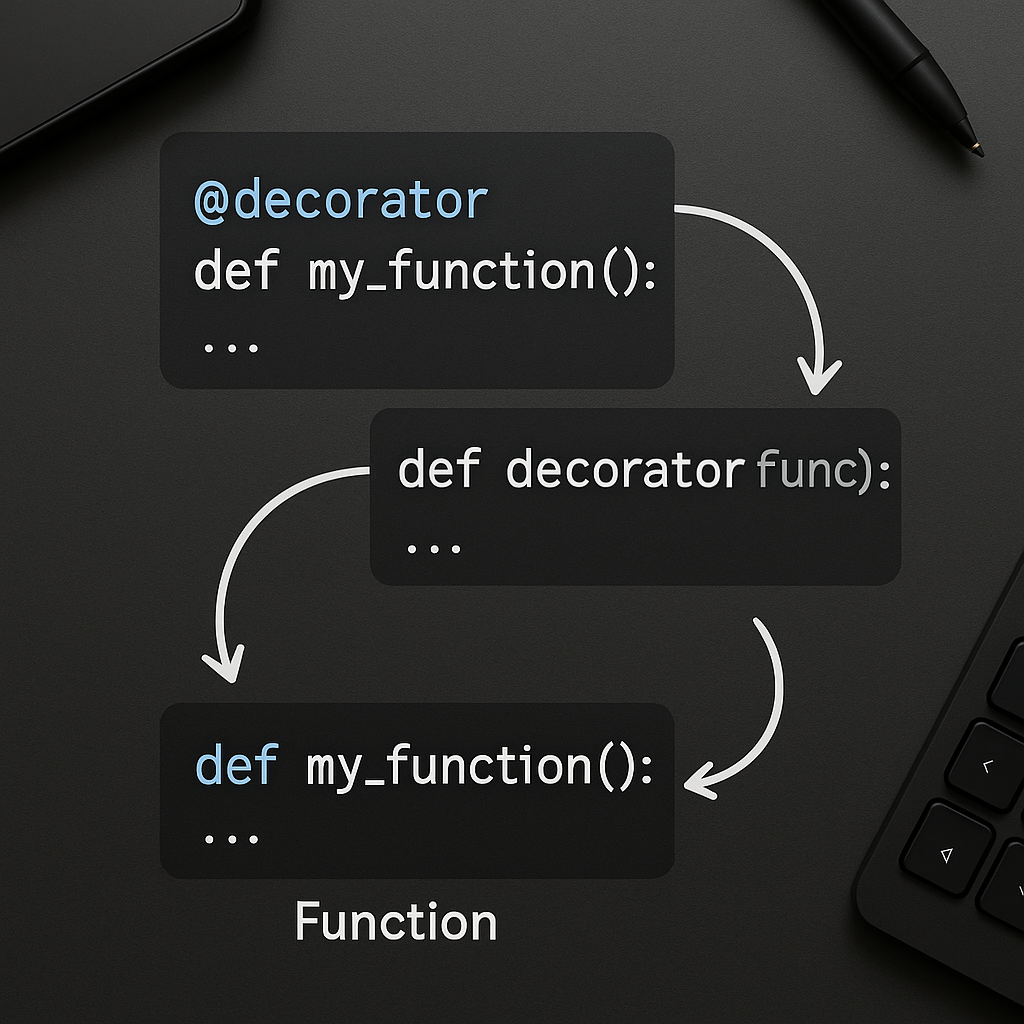
At its core, a decorator is a callable (usually a function) that takes another function as an argument, modifies or wraps it, and returns a replacement. Let’s see a minimal example that logs function calls:
def log_calls(func):
    def wrapper(*args, **kwargs):
        print(f"Calling {func.__name__} with args={args}, kwargs={kwargs}")
        return func(*args, **kwargs)
    return wrapper

@log_calls
def add(a, b):
    return a + b

add(3, 5)
# Output: Calling add with args=(3, 5), kwargs={}
Here, @log_calls decorates the add function, transparently inserting logging before the original logic. The *args and **kwargs make your decorator generic — crucial for handling functions with different signatures.
3. Practical Patterns: Stacking and Parameterized Decorators
Decorators shine when they promote code reuse. They can be stacked, and can even take their own arguments. Here’s an example of a parameterized timing decorator:
import time

def timer(repeat=1):
    def decorator(func):
        def wrapper(*args, **kwargs):
            total = 0
            for _ in range(repeat):
                start = time.perf_counter()
                result = func(*args, **kwargs)
                elapsed = time.perf_counter() - start
                total += elapsed
            print(f"Avg time for {func.__name__}: {total / repeat:.6f}s")
            return result
        return wrapper
    return decorator

@timer(repeat=3)
def slow_add(a, b):
    time.sleep(0.1)
    return a + b

slow_add(2, 2)
# Output: Avg time for slow_add: ...s
This pattern uses nested functions to allow decorator arguments. The outer function captures the decorator arguments, while the inner decorator wraps the target function.
4. Real-World Use Case: Authentication Decorators for Web APIs
A typical real-world application is enforcing authentication on REST API endpoints. Here’s a simplified Flask example:
from flask import Flask, request, jsonify
from functools import wraps

app = Flask(__name__)

def require_api_key(func):
    @wraps(func)
    def wrapper(*args, **kwargs):
        key = request.headers.get('X-API-KEY')
        if key != 'SECRET123':
            return jsonify({'error': 'Unauthorized'}), 401
        return func(*args, **kwargs)
    return wrapper

@app.route('/protected')
@require_api_key
def protected_route():
    return jsonify({'message': 'Welcome, authenticated user!'})
The @wraps decorator (from functools) preserves metadata like docstrings and function name, which is best practice but often forgotten. This pattern lets you maintain clean route logic while handling security transparently.
5. Pitfalls and Best Practices: Scope, Side-Effects, and Debugging
- Metadata Loss: Always use
@functools.wrapsto prevent issues with introspection tools, documentation, or debugging. - Global State: Avoid storing mutable state in decorators unless thread/local context is handled, or use class-based decorators for stateful logic.
- Stacking Order: When stacking multiple decorators, remember they apply from the innermost (bottom) up. This can affect logging, timing, or permission checks.
- Performance: Decorators, especially those adding I/O (logging, network calls), can slow down hot code paths. Use them judiciously in performance-critical contexts.
Example showing stacking order:
def dec1(func):
    def wrapper(*a, **kw):
        print("dec1 before")
        res = func(*a, **kw)
        print("dec1 after")
        return res
    return wrapper

def dec2(func):
    def wrapper(*a, **kw):
        print("dec2 before")
        res = func(*a, **kw)
        print("dec2 after")
        return res
    return wrapper

@dec1
@dec2
def foo():
    print("body")

foo()
# Output:
# dec1 before
# dec2 before
# body
# dec2 after
# dec1 after
Stacking order directly influences your program’s behavior and is important for debugging.
6. Advanced Techniques: Class-based and Async Decorators
Sometimes you need a decorator to maintain some internal state, for which class-based decorators are useful:
class CountCalls:
    def __init__(self, func):
        self.func = func
        self.count = 0
    def __call__(self, *args, **kwargs):
        self.count += 1
        print(f"Call #{self.count} of {self.func.__name__}")
        return self.func(*args, **kwargs)

@CountCalls
def greet(name):
    print(f"Hello, {name}!")

greet("Dana")
greet("Alex")
# Output: Call #1 ... Call #2 ...
For async functions, ensure your decorator returns await properly. Here’s an async wrapper:
import asyncio
import functools

def async_log(func):
    @functools.wraps(func)
    async def wrapper(*args, **kwargs):
        print(f"Calling async {func.__name__}")
        return await func(*args, **kwargs)
    return wrapper

@async_log
async def go():
    await asyncio.sleep(0.1)
    print("done!")

asyncio.run(go())
This ensures compatibility with async/await coroutines, now common in modern Python web and I/O-heavy codebases.
Conclusion
Decorators are among Python’s most versatile and reusable patterns — whether for instrumentation, access control, or aspects-oriented programming. By understanding their anatomy, common patterns, and best practices, you can write cleaner, more maintainable, and more powerful Python code. Experiment with decorators in your own projects to appreciate their power!
Useful links: