
Demystifying SQL Window Functions with Practical Examples
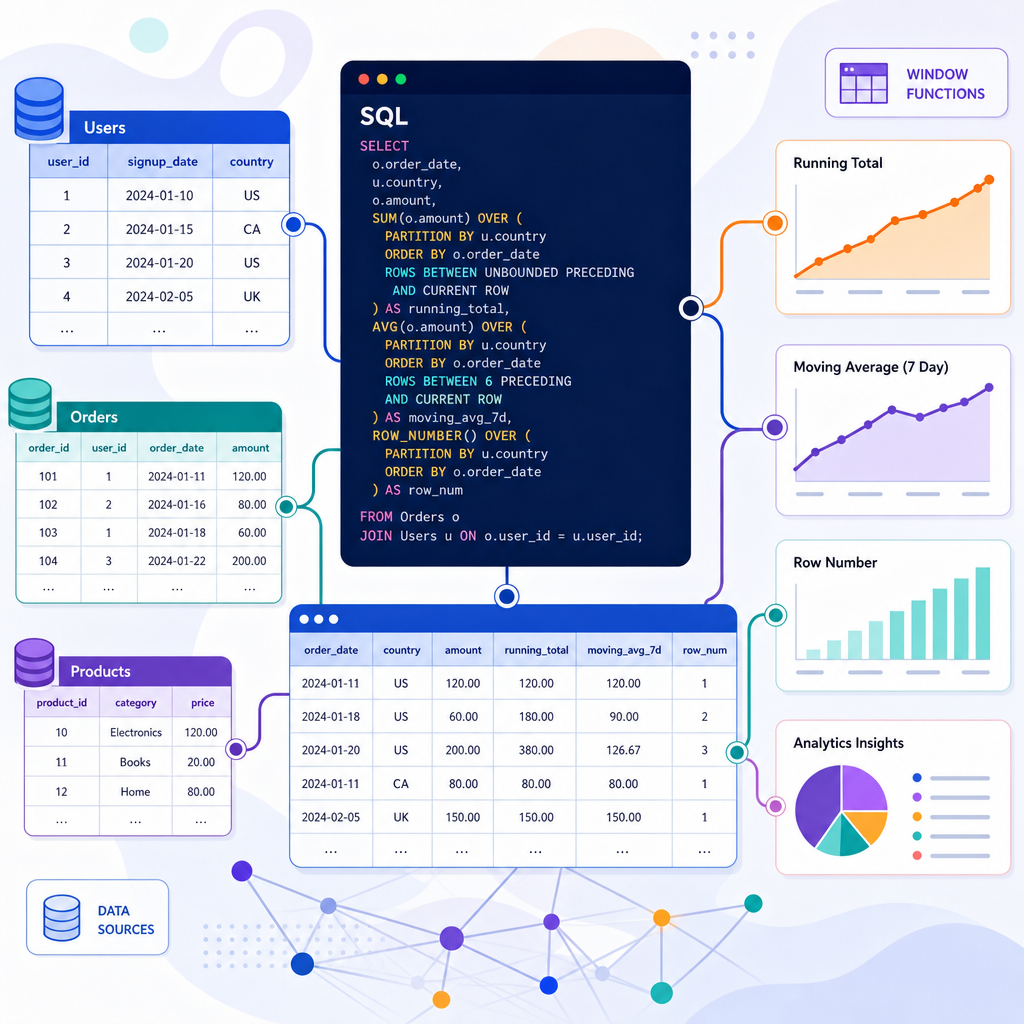
SQL window functions are essential tools for performing complex analytical calculations on a database. They allow you to perform calculations across a set of table rows related to the current row. In this blog post, we will explore the world of SQL window functions and unravel their power through practical examples.
Understanding the Basics of SQL Window Functions
The primary difference between a window function and a regular aggregate function is that window functions do not cause rows to become grouped into a single output row. This means they maintain row-level granularity while enabling computations across rows.
Consider the sample dataset of student scores:
CREATE TABLE student_scores (
  student_id INT,
  subject VARCHAR(50),
  score INT
);

INSERT INTO student_scores VALUES
  (1, 'Math', 85),
  (2, 'Math', 90),
  (3, 'Math', 78),
  (1, 'Science', 88),
  (2, 'Science', 82),
  (3, 'Science', 91);
Common SQL Window Functions: ROW_NUMBER, RANK, and DENSE_RANK
The functions ROW_NUMBER(), RANK(), and DENSE_RANK() are used to assign a unique sequential integer to rows within a partition of a dataset.
Here’s how you can use ROW_NUMBER() to assign a unique number to each row within a partition, ordered by the score:
SELECT student_id,
       subject,
       score,
       ROW_NUMBER() OVER (PARTITION BY subject ORDER BY score DESC) AS row_num
FROM student_scores;
This code snippet will provide an ordered list of scores partitioned by each subject, assigning a unique rank starting from one without skips.
Using SUM() and AVG() as Window Functions
Aggregations like SUM() and AVG() are not limited to GROUP BY queries. They can be applied as window functions to perform more flexible calculations.
Let’s calculate the running total and average score for each student using window functions:
SELECT student_id,
       subject,
       score,
       SUM(score) OVER (PARTITION BY student_id ORDER BY subject) AS running_total,
       AVG(score) OVER (PARTITION BY student_id ORDER BY subject) AS running_avg
FROM student_scores;
This example computes the sum and average of scores for each student ordered by subjects.
Using LAG() and LEAD() for Time-Based Queries
The LAG() and LEAD() functions are useful for referencing previous or subsequent rows without using self-joins.
To compare each student’s current score with their previous score in the same subject, you could write:
SELECT student_id,
       subject,
       score,
       LAG(score) OVER (PARTITION BY subject ORDER BY student_id) AS previous_score
FROM student_scores;
Here, LAG() provides access to data from a prior row in the same result set.
Performance Considerations and Best Practices
Using window functions effectively requires understanding their performance implications. Here are some tips:
- Partition data carefully: Excessive partitioning can lead to slow query performance.
- Optimize query plans: Use indexes where appropriate to speed up access to partitioned and ordered data.
- Consider hardware resources: Large datasets may require more computational power to process window functions efficiently.
Window functions simplify many tasks that would otherwise require complex and cumbersome SQL. Mastering them can enhance your ability to analyze data in sophisticated ways.
Useful links: