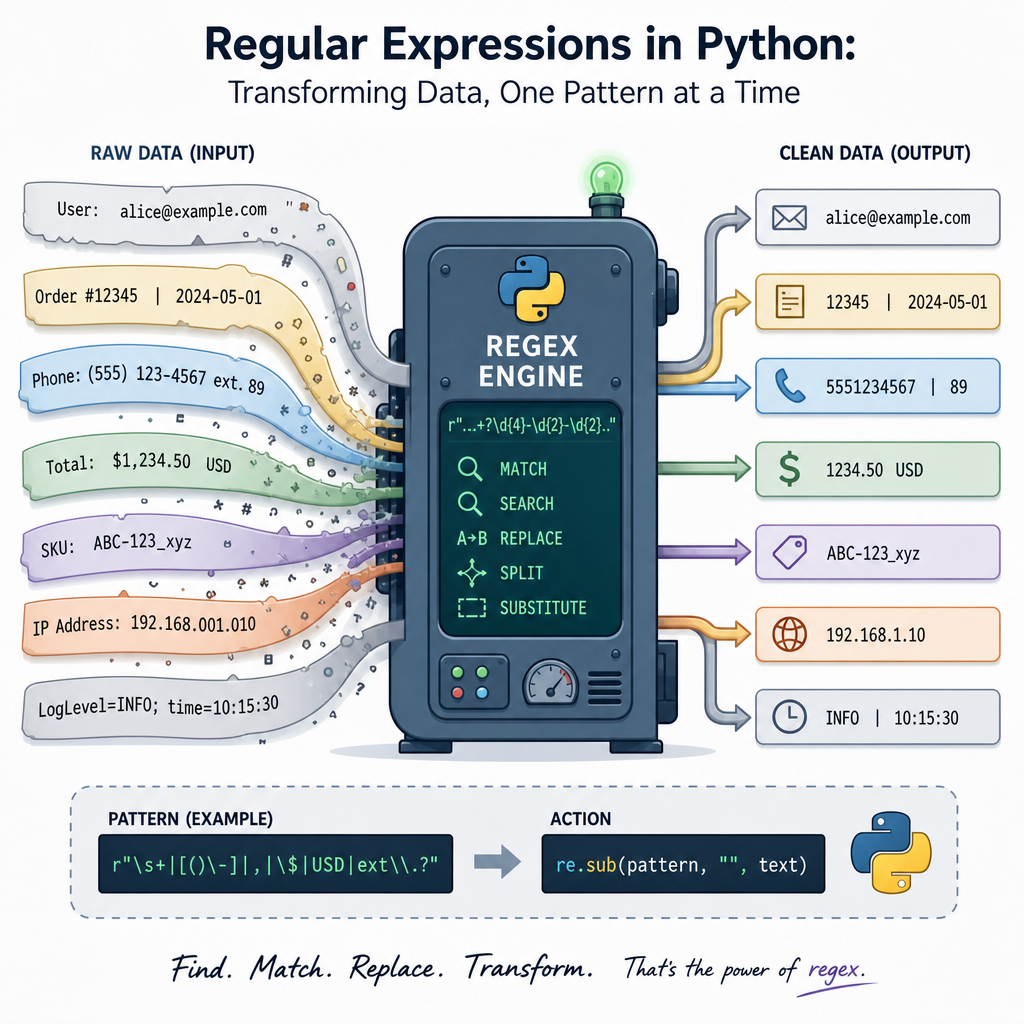

Using RegEx Effectively In Data Manipulation Tasks With Python’s `re` Module
Regular Expressions, or RegEx, are a powerful tool for processing and manipulating text. In Python, the `re` module offers a set of tools that make text manipulation tasks more effective and efficient. Whether you are cleaning datasets, extracting data, or transforming strings, RegEx patterns can significantly simplify these operations. In this article, we will delve into using Python’s `re` module effectively during the data cleaning and transformation stages, complete with practical code examples.
1. Introduction to Basic RegEx Syntax
Diving into RegEx in Python begins with understanding the basic syntax. RegEx patterns are descriptions of string formats. For instance, the pattern \\d represents a digit, while \\s represents a space. These patterns allow you to search and manipulate strings with precision. Let’s start with a simple example:
import re

pattern = r'\d+'
text = "The year is 2023, and the month is 10."

matches = re.findall(pattern, text)
print(matches)
This script finds all sequences of digits in the text string, capturing “2023” and “10”. The `r` prefix indicates a raw string in Python, where the backslashes are not treated as escape characters. Thus, `r’\d+’` matches any number within the text.
2. Extracting Useful Information
Using RegEx to extract specific data is a common use case. Suppose we have a file format with diverse data, such as names and email addresses. We can use RegEx to extract this information:
text = "John Doe: john.doe@example.com, Jane Smith: jane.smith@hotmail.com"

name_pattern = r'\b[A-Z][a-z]* [A-Z][a-z]*\b'
email_pattern = r'[a-zA-Z0-9._%+-]+@[a-zA-Z0-9.-]+\.[a-zA-Z]{2,}'
names = re.findall(name_pattern, text)
emails = re.findall(email_pattern, text)

print('Names:', names)
print('Emails:', emails)
This RegEx pattern identifies names as two words with the first letter capitalized, and email addresses in the standard formats. The result is a list of names and emails extracted from the string.
3. Replacing and Splitting Text
Replacing or splitting text based on patterns is a typical operation in data cleaning. The `re.sub()` function is invaluable here:
url_sanitizer = r'https?://[^\s]+'
text_with_urls = "Visit us at https://example.com and http://test.org for more info."

clean_text = re.sub(url_sanitizer, '[LINK]', text_with_urls)
print(clean_text)
This code replaces URLs within a text block with [LINK], effectively sanitizing the string for safe output.
Similarly, RegEx can split text into parts based on patterns:
text = "This is a sentence. Here is another? And the last one!"
sentences = re.split(r'[.!?]', text)
print(sentences)
The `re.split()` function divides text into a list of sentences based on punctuation marks.
4. Complex Pattern Matching with Groups
For more advanced data extraction, RegEx groups can capture different parts of text within a single pattern. Consider extracting dates from a dataset:
pattern = r'(\d{4})-(\d{2})-(\d{2})'
date_text = "2023-10-05, 2022-11-15, 2020-01-30"

matches = re.findall(pattern, date_text)
for match in matches:
    print(f"Year: {match[0]}, Month: {match[1]}, Day: {match[2]}")
This pattern segregates dates into capture groups, allowing immediate breakdown of years, months, and days.
5. Optimizing RegEx Performance
While RegEx is potent, crafting efficient patterns is crucial for performance, especially with large datasets. Techniques like using non-capturing groups (\(?:…\)) when groups are not needed for back-references can save processing time. Additionally, anchoring your patterns with `^` and `$` lowes the search space, further optimizing regex operations.
optimized_pattern = r'^(https?://)?(www\.)?example\.com/.*$'
search_text = "https://example.com/home"

if re.match(optimized_pattern, search_text):
    print("URL matches the required pattern")
This pattern quickly checks if a URL belongs to ‘example.com’, using anchors to streamline the matching process.
In conclusion, the `re` module in Python opens up a universe of possibilities for text manipulation. Whether you are tidying up data or diving into complex parsing tasks, understanding and leveraging RegEx will elevate your coding proficiency and task efficiency.
Useful links: