
Mastering API Requests in Python with the Requests Library
APIs are the backbone of modern software integration, and Python’s requests library makes interacting with APIs both simple and elegant. In this article, we’ll take a deep dive into real-world patterns for making API calls, handling responses, including authentication, working with JSON, and writing robust, maintainable code.
1. Setting Up and Sending Your First API Request
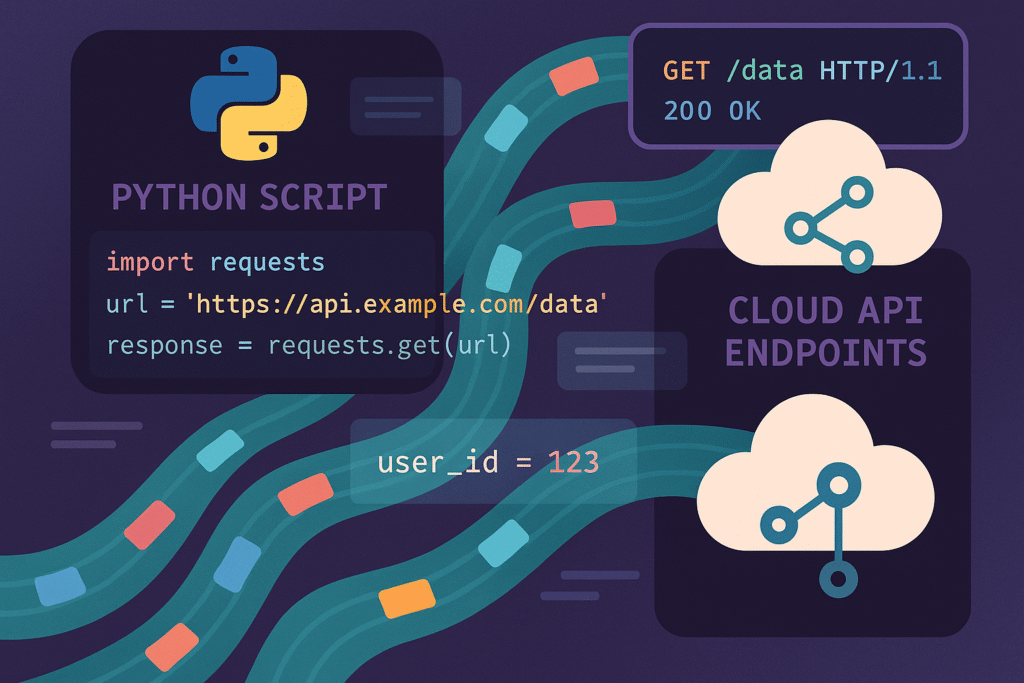
The requests library is not part of Python’s standard library but is widely regarded as the de facto standard for HTTP in Python. Let’s start with basic installation and a GET request:
pip install requestsimport requests
response = requests.get('https://api.github.com')
print(response.status_code)
print(response.headers)
print(response.text[:100]) # Print the first 100 charsThis example demonstrates how easy it is to send an HTTP request and inspect the response. Always check status_code to ensure you received the expected result.
2. Authentication Patterns for API Access
Most APIs require some form of authentication, often via API tokens. Here’s how to include an API token using headers:
headers = {
    'Authorization': 'Bearer YOUR_API_TOKEN'
}
response = requests.get('https://api.example.com/user', headers=headers)
Use requests.Session() to reuse connections and headers for better performance:
session = requests.Session()
session.headers.update({'Authorization': 'Bearer YOUR_API_TOKEN'})
user = session.get('https://api.example.com/user')
This reduces connection overhead and is recommended for scripts making many API calls.
3. Working with Query Parameters and JSON Payloads
Many APIs expect structured data, either as query strings or JSON payloads. Here’s how to send each:
GET with Query Parameters:
params = {'search': 'python', 'sort': 'stars'}
response = requests.get('https://api.github.com/search/repositories', params=params)
print(response.json())
POST with JSON Data:
data = {'title': 'New Post', 'body': 'This is the post body.'}
response = requests.post(
    'https://api.example.com/posts',
    json=data,  # Automatically sets Content-Type to application/json
    headers={'Authorization': 'Bearer YOUR_API_TOKEN'}
)
print(response.json())
The json= argument is the most concise and reliable way to send JSON in POST requests.
4. Robust Error Handling and Response Validation
APIs may fail or return unexpected results. Use exception handling and response validation to build durable clients.
try:
    response = requests.get('https://api.example.com/items', timeout=5)
    response.raise_for_status()  # Raises HTTPError for bad responses
    data = response.json()
    # Validate keys and data types
    if 'results' not in data:
        raise ValueError('Missing expected "results" field')
except requests.exceptions.RequestException as e:
    print(f'HTTP error: {e}')
except ValueError as ve:
    print(f'Data error: {ve}')
The timeout parameter and raise_for_status() are critical for scripts running in production.
5. Automation and Optimization Strategies
When working at scale or driving automation, several patterns can maximize reliability and performance:
- Retry Logic: Use
urllib3.util.retry.Retrywithrequests.adapters.HTTPAdapterfor transient failures. - Rate Limiting: Check API documentation for limit headers; back off or sleep when approaching limits.
- Session Pooling: Share a
Session()object across threads for connection reuse in multi-threaded apps.
from requests.adapters import HTTPAdapter
from urllib3.util.retry import Retry

session = requests.Session()
retries = Retry(total=5, backoff_factor=1, status_forcelist=[500, 502, 503, 504])
session.mount('https://', HTTPAdapter(max_retries=retries))

response = session.get('https://api.example.com/items')
This not only reduces bugs but also helps your consumer scripts comply with best practices and integrate smoothly with production APIs.
Conclusion
Mastering the requests library unlocks seamless integration with web APIs for everything from automation scripts to large web applications. By understanding authentication, payloads, error handling, and optimization strategies, you can build robust, high-performing code that scales across projects.
Useful links: