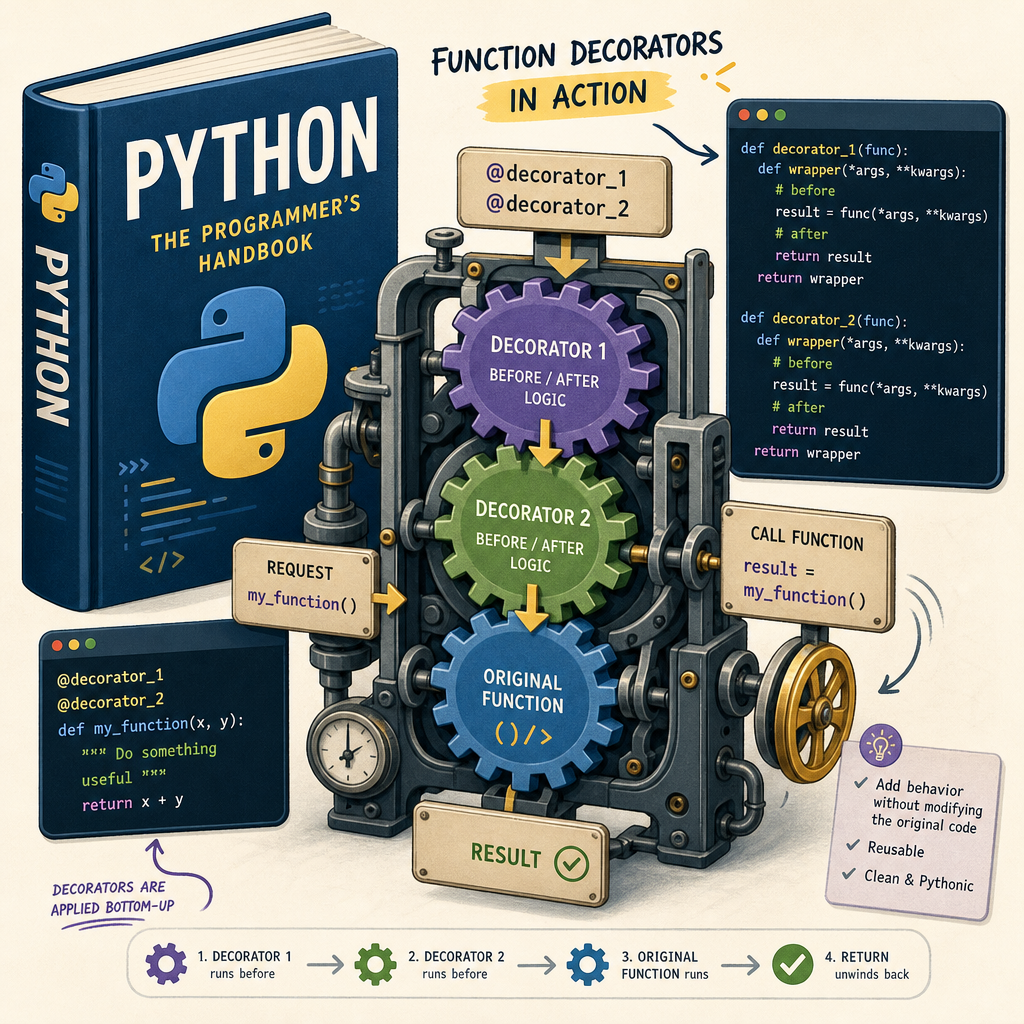

Python Decorators Explained: Enhance Your Functions Gracefully
Python is a versatile language packed with features that make coding both efficient and elegant. One of these features is decorators, which allow you to modify the behavior of functions or methods. Decorators can simplify and streamline code, making it more readable and maintainable, especially when you want to apply similar functionality across multiple functions. In this post, we’ll delve into how Python decorators work and how you can use them to enhance your functions elegantly, with practical examples.
Understanding the Basics of Python Decorators
A decorator is essentially a function that wraps another function, allowing you to execute code before and after the wrapped function runs, effectively modifying its behavior. The basic syntax for a decorator involves using the ‘@decorator_name’ syntax above the function you want to decorate. Here’s a simple example:
def simple_decorator(func):
    def wrapper():
        print("Something is happening before the function is called.")
        func()
        print("Something is happening after the function is called.")
    return wrapper

@simple_decorator
def say_hello():
    print("Hello!")

say_hello()
In this example, ‘simple_decorator’ is a decorator function that takes another function ‘func’ as an argument. It defines a nested function ‘wrapper’ that adds behavior before and after calling ‘func’. When ‘say_hello()’ is called, it first prints a message defined in the ‘simple_decorator’.
Logging Execution Time with Decorators
One practical use of decorators is to log the execution time of a function, which is helpful for performance monitoring and optimization. Here’s how you can implement such a decorator:
import time

def timing_decorator(func):
    def wrapper(*args, **kwargs):
        start_time = time.time()
        result = func(*args, **kwargs)
        end_time = time.time()
        print(f"Function {func.__name__} executed in {end_time - start_time:.4f} seconds")
        return result
    return wrapper

@timing_decorator
def example_function(n):
    sum = 0
    for i in range(n):
        sum += i
    return sum

example_function(1000000)
In this code, ‘timing_decorator’ measures and prints the execution time of ‘example_function’. Decorators like this are insightful for performance-critical code, providing quick feedback on where your code might need optimization.
Adding Access Control with Decorators
Another useful application of decorators is implementing access control, which is crucial for ensuring that certain functions are only executed under appropriate conditions. Consider this decorator that restricts access based on a user role:
# Assume a simple user object for illustration
user = {'role': 'admin'}

def role_check_decorator(role):
    def decorator(func):
        def wrapper(*args, **kwargs):
            if user['role'] == role:
                return func(*args, **kwargs)
            else:
                print(f"Access denied for user with role {user['role']}")
        return wrapper
    return decorator

@role_check_decorator('admin')
def admin_panel():
    print("Welcome to the admin panel.")

admin_panel()
This example shows how to use decorators for role-based access control. The ‘role_check_decorator’ verifies the user’s role before executing the ‘admin_panel’ function, ensuring only admins can access it.
Function Composition Using Decorators
Decorators are excellent for composing functions to build complex behavior from simpler, reusable components. Consider combining multiple decorators for sophisticated workflow:
def first_decorator(func):
    def wrapper(*args, **kwargs):
        print("First decorator")
        return func(*args, **kwargs)
    return wrapper

def second_decorator(func):
    def wrapper(*args, **kwargs):
        print("Second decorator")
        return func(*args, **kwargs)
    return wrapper

@first_decorator
@second_decorator
def combined_functionality():
    print("Function with combined behaviors.")

combined_functionality()
Here, ‘combined_functionality’ benefits from the behaviors of both ‘first_decorator’ and ‘second_decorator’, demonstrating the powerful pattern of composing functionalities succinctly.
Performance Considerations & Best Practices
While decorators provide significant flexibility, they should be used judiciously. Here are some best practices and considerations:
- Be mindful of decorator layers: Excessive layers can make debugging and tracing function executions complex. Modular and concise decorator design helps avoid this.
- Use function annotations: Helpful for keeping introspective features like function name and documentation accurate, use ‘functools.wraps’ from the functools module. This retains metadata of the original function when decorating.
- Performance costs: Decorators add function-call overhead. Profiling and monitoring with tools like cProfile help understand performance impacts.
By understanding and correctly applying decorators, you can greatly enhance your Python codebase, making it more modular, readable, and easier to maintain.
Useful links: