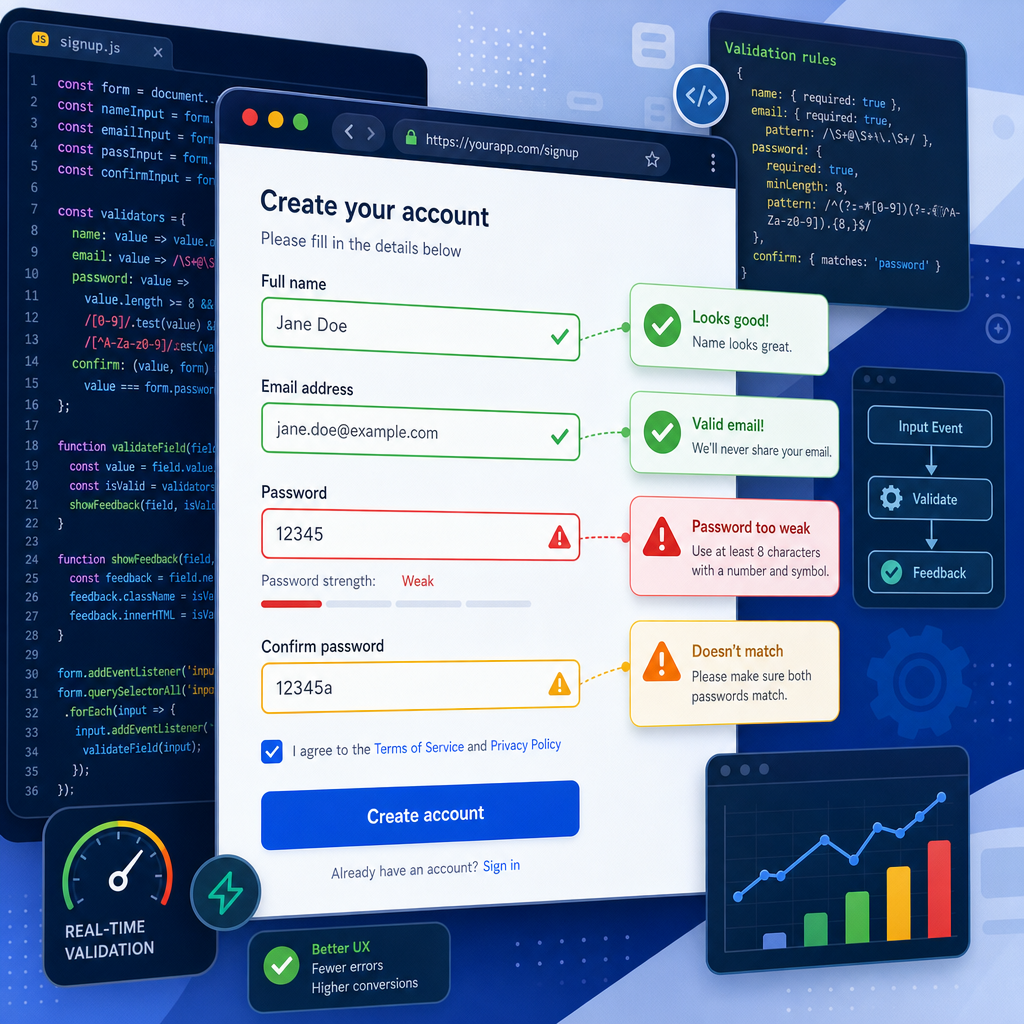

Streamlining Web Form Validations using JavaScript
In the world of web development, form validations play a crucial role in improving user experience and ensuring data integrity. JavaScript provides powerful tools to perform efficient client-side validations that keep your applications more resilient and user-friendly. In this comprehensive guide, we’ll explore how to enhance web forms using JavaScript for tasks like email verification and input sanitization.
1. Why Client-Side Validation Matters
Client-side validation is the process of checking inputs directly in the user’s browser before they hit the server. This approach can improve performance by reducing needless server requests and providing instant feedback to users.
Using JavaScript for client-side validation helps in:
- Reducing server load and network traffic
- Providing instant and interactive feedback to users
- Ensuring data standards are met before server-side validations
By leveraging JavaScript, developers can enhance user experience with seamless, real-time validations.
2. Basic Form Validation Techniques
To start with JavaScript form validation, let’s consider a simple example where we validate an email field. Here is a script that checks if an email address follows a proper format:
document.getElementById('myForm').addEventListener('submit', function(event) {
  const emailInput = document.getElementById('email');
  const emailRegex = /^[\w-\.]+@([\w-]+\.)+[\w-]{2,4}$/;
  if (!emailRegex.test(emailInput.value)) {
    alert('Please enter a valid email address.');
    event.preventDefault();
  }
});
This JavaScript snippet ensures that the email field has a valid format using a regular expression pattern. If the validation fails, an alert is shown and the form submission is halted by calling event.preventDefault().
3. Enhancing Form UX with Real-time Validations
Real-time validation provides immediate feedback to users as they type, improving overall user experience by catching errors early. Here’s how we can implement real-time validation for a username field:
document.getElementById('username').addEventListener('input', function() {
  const username = this.value;
  const minLength = 3;
  if (username.length < minLength) {
    this.setCustomValidity('Username must be at least ' + minLength + ' characters long.');
    this.reportValidity();
  } else {
    this.setCustomValidity('');
  }
});
With this JavaScript code, users receive feedback while typing, encouraging them to meet field requirements proactively.
4. Input Sanitization to Prevent Security Flaws
Beyond validation, input sanitization is crucial to prevent security vulnerabilities such as XSS attacks. Here’s a basic example that sanitizes user inputs:
function sanitizeInput(input) {
  const div = document.createElement('div');
  div.textContent = input;
  return div.innerHTML;
}
let userInput = '<script>alert("XSS Attack")</script>';
let sanitizedInput = sanitizeInput(userInput);
console.log(sanitizedInput); // Logs <script>alert("XSS Attack")</script>
By using textContent and innerHTML, this function ensures that HTML tags are escaped, preventing potential harmful scripts from executing.
5. Optimizing Form Validations for Performance
While client-side validations enhance responsiveness, it’s crucial to optimize scripts to avoid performance degradation on page loads. Here are optimization tips:
- Debounce heavy validation functions to limit their execution frequency.
- Cache DOM queries to avoid repetitive calls.
- Minimize event listener attachments using event delegation techniques.
By applying these strategies, you can ensure validations run smoothly even on complex web forms.
In summary, JavaScript offers flexible and powerful solutions to streamline web form validations, improve user experience, and maintain robust client-side verification processes. By combining regular expressions, real-time validations, and input sanitization, developers can build secure and efficient validation layers for web applications.
Useful links: