
Automate Your Daily Tasks with Python Scripts
In the fast-paced digital world, automating mundane tasks can save you a significant amount of time and effort. Python, a versatile programming language, offers easy solutions for daily task automation, such as file organization and email notifications. This blog post will guide you through these automations step-by-step, including a practical script to sort documents automatically into folders based on their file types.
1. Understanding Python for Automation
Python is a popular choice for automation due to its simplicity and extensive library support. Libraries like os, shutil, and smtplib provide functionalities for navigating directories, handling files, and sending emails, respectively. You’ll leverage these libraries to automate tasks, but it’s crucial to understand their basics. To get started, ensure Python is installed on your machine. You can verify this by typing python --version into your terminal.
2. Automating File Organization
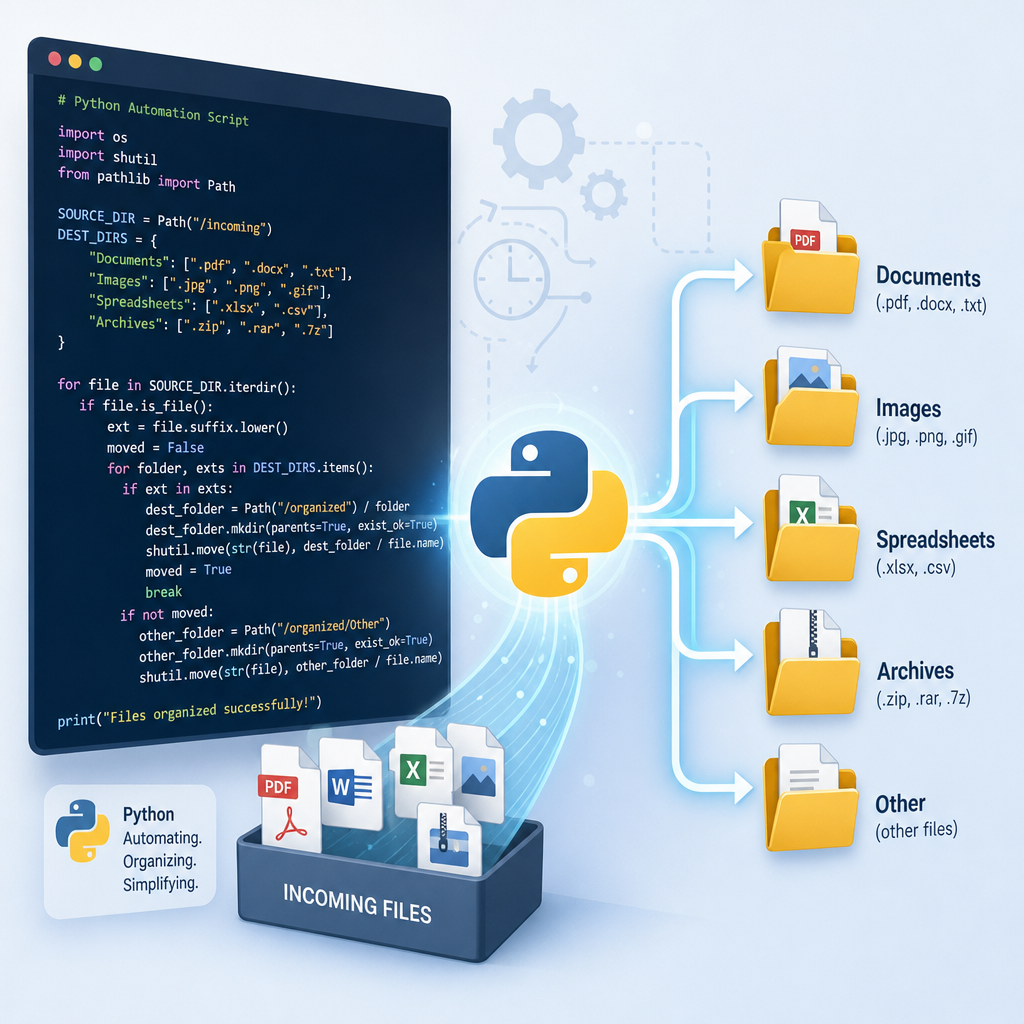
The first task is to automate the organization of files in a directory by sorting them into subfolders based on file type. This process is often necessary to maintain a tidy workspace. Here’s a simple Python script using the os and shutil libraries:
import os
import shutil

def organize_files_by_type(source_dir):
    for filename in os.listdir(source_dir):
        filepath = os.path.join(source_dir, filename)
        if os.path.isfile(filepath):
            file_type = filename.split('.')[-1]
            destination_dir = os.path.join(source_dir, file_type)
            if not os.path.exists(destination_dir):
                os.makedirs(destination_dir)
            shutil.move(filepath, destination_dir)

organize_files_by_type('/path/to/your/directory')
This script scans through files in the specified directory, checks the file type(extension), and moves it to a corresponding folder. Ensure you replace '/path/to/your/directory' with the actual path.
3. Automating Email Notifications
You can automate email notifications using Python’s smtplib library. This is particularly useful for alerts and reminders. Below is a basic example of sending an email:
import smtplib
from email.message import EmailMessage

def send_email(subject, body, to_email):
    from_email = "your_email@example.com"
    password = "your_password"

    msg = EmailMessage()
    msg['Subject'] = subject
    msg['From'] = from_email
    msg['To'] = to_email
    msg.set_content(body)

    with smtplib.SMTP_SSL('smtp.example.com', 465) as smtp:
        smtp.login(from_email, password)
        smtp.send_message(msg)

send_email('Test Email', 'This is an automated test message.', 'recipient@example.com')
Be sure to replace email addresses and SMTP server details with your own. Note that handling credentials securely is critical in production environments.
4. Real-World Applications
Apart from organizing files and sending emails, Python’s automation capabilities extend to web scraping, database updates, and report generation. For instance, with libraries like BeautifulSoup, you can automate data extraction from websites and save it in a structured database format.
5. Optimizing and Scaling Automations
Although Python scripts are efficient, always consider performance improvements and scaling. Utilize Python’s asyncio library for asynchronous operations to manage resources effectively, especially when dealing with I/O-bound tasks like downloading files or network requests.
Here’s a snippet demonstrating asynchronous execution:
import asyncio
import aiohttp

async def fetch(session, url):
    async with session.get(url) as response:
        return await response.text()

async def main(urls):
    async with aiohttp.ClientSession() as session:
        tasks = [fetch(session, url) for url in urls]
        return await asyncio.gather(*tasks)

urls = ['http://example.com/page1', 'http://example.com/page2']
content = asyncio.run(main(urls))
This code fetches webpages asynchronously, reducing the execution time.
By leveraging Python for automation, you not only streamline your daily operations but also open up a range of opportunities to enhance productivity and efficiency. Whether it’s a simple file organization or complex multi-step workflows, Python scripts can help you automate effectively.
Useful links: