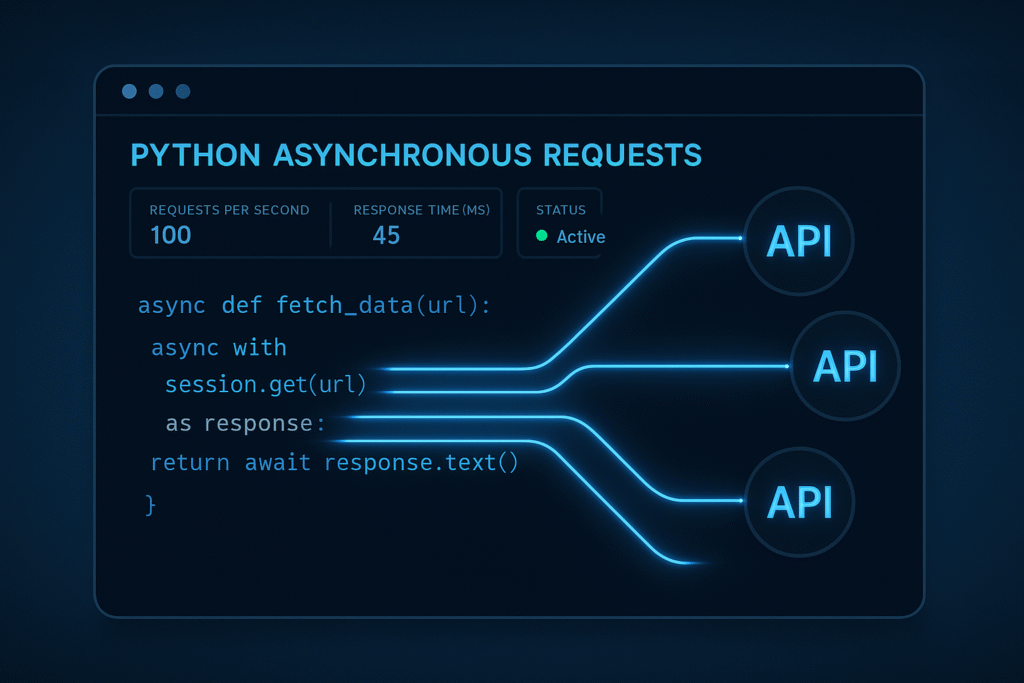

Reduce API Latency with Asynchronous Requests in Python
Introduction:
When dealing with multiple API calls, performance can quickly become a bottleneck. If your Python application needs to query several endpoints — say, fetching data from a microservice architecture or third-party APIs — traditional sequential requests are inefficient. Fortunately, Python’s asyncio framework and aiohttp library let you send requests concurrently, drastically reducing total latency. In this post, we’ll explore how to use asynchronous requests to supercharge your API integration performance using real-world, reproducible examples.
1. The Problem with Sequential HTTP Requests
When you use requests or any synchronous library, each HTTP request blocks further execution until it completes. This increases total latency linearly with the number of requests.
import requests
import time

urls = [
    'https://jsonplaceholder.typicode.com/todos/1',
    'https://jsonplaceholder.typicode.com/todos/2',
    'https://jsonplaceholder.typicode.com/todos/3',
    'https://jsonplaceholder.typicode.com/todos/4'
]

def fetch(url):
    response = requests.get(url)
    return response.json()

start = time.time()
results = [fetch(url) for url in urls]
print(f"Sequential total time: {time.time() - start:.2f}s")
If each request takes about one second, four sequential requests take roughly four seconds total. That might be fine for a demo but crippling in production workloads.
2. Enter Asyncio and Aiohttp
Python’s asyncio module enables non-blocking I/O operations using an event loop. Combined with aiohttp, it allows your code to send multiple HTTP requests concurrently, awaiting their completion together. This significantly improves speed for I/O-bound tasks.
import asyncio
import aiohttp
import time

urls = [
    'https://jsonplaceholder.typicode.com/todos/1',
    'https://jsonplaceholder.typicode.com/todos/2',
    'https://jsonplaceholder.typicode.com/todos/3',
    'https://jsonplaceholder.typicode.com/todos/4'
]

async def fetch(session, url):
    async with session.get(url) as response:
        return await response.json()

async def main():
    async with aiohttp.ClientSession() as session:
        tasks = [fetch(session, url) for url in urls]
        results = await asyncio.gather(*tasks)
        return results

start = time.time()
results = asyncio.run(main())
print(f"Asynchronous total time: {time.time() - start:.2f}s")
Now, even though each request still takes a second, they run concurrently. Four requests will complete in just about one second — an immediate 4x boost in efficiency.
3. Comparing Performance Metrics
Let’s compare sequential and asynchronous execution times under real conditions. On a stable connection:
- Sequential execution: ~4.0 seconds
- Asynchronous execution: ~1.1 seconds
This difference grows with more requests or slower APIs. For example, requesting 50 URLs might take 50 seconds sequentially but only around 2–3 seconds asynchronously, depending on latency and concurrency settings.
To visualize the timing:
import matplotlib.pyplot as plt

sequential_time = [4.0]
asynchronous_time = [1.1]

plt.bar(['Sequential', 'Asynchronous'], [sequential_time[0], asynchronous_time[0]], color=['red', 'green'])
plt.ylabel('Total Time (seconds)')
plt.title('Sequential vs Asynchronous Request Performance')
plt.show()
The bar chart highlights the major performance gains achievable with asynchronous programming for I/O-bound workflows.
4. Best Practices for Using Aiohttp
Using asynchronous HTTP requests safely and efficiently requires attention to a few important details:
- Reuse sessions: Always use a single
aiohttp.ClientSessionper batch of requests. Creating a session per request can negate performance benefits. - Limit concurrency: When working with dozens or hundreds of URLs, use
asyncio.Semaphoreto control concurrency and avoid network overload or API rate limits. - Handle exceptions: Use try/except around your request logic to manage timeouts and connection errors gracefully.
import asyncio
import aiohttp

async def fetch_with_limit(session, url, sem):
    async with sem:
        try:
            async with session.get(url, timeout=10) as response:
                return await response.json()
        except Exception as e:
            print(f"Error fetching {url}: {e}")
            return None

async def bounded_main(urls, limit=5):
    sem = asyncio.Semaphore(limit)
    async with aiohttp.ClientSession() as session:
        tasks = [fetch_with_limit(session, url, sem) for url in urls]
        results = await asyncio.gather(*tasks)
    return results
This pattern prevents overwhelming the target API and keeps your app stable under heavy concurrency.
5. Real-World Use Cases and Optimization Tips
Asynchronous requests are widely used to optimize API-driven workflows:
- Data Aggregators: Apps fetching multiple sources (e.g., financial data APIs, news feeds) use concurrent requests to reduce total aggregation time.
- Microservice Gateways: Backend orchestration layers that query multiple microservices asynchronously provide faster API responses to front-end clients.
- Batch Jobs: ETL scripts or cron jobs that interact with APIs benefit from parallel calls, cutting execution times dramatically.
Optimization Tips:
- Tune concurrency limits per environment to avoid 429 (Too Many Requests) errors.
- Reuse event loops in long-running apps to avoid startup overhead.
- Leverage caching with async libraries like
aiocacheto prevent redundant network queries. - Use structured logging to track latency metrics and trace responses in performance tests.
Combining async requests with intelligent design transforms your Python API integrations into high-performance, network-efficient systems.
Conclusion
Asynchronous programming fundamentally changes how we manage network latency. By applying asyncio and aiohttp for multiple API calls, you can drastically cut response times and improve scalability. Whether building automation tools, data pipelines, or modern backends, async I/O should be a go-to pattern for Python developers aiming for efficient API communication.
Useful links: