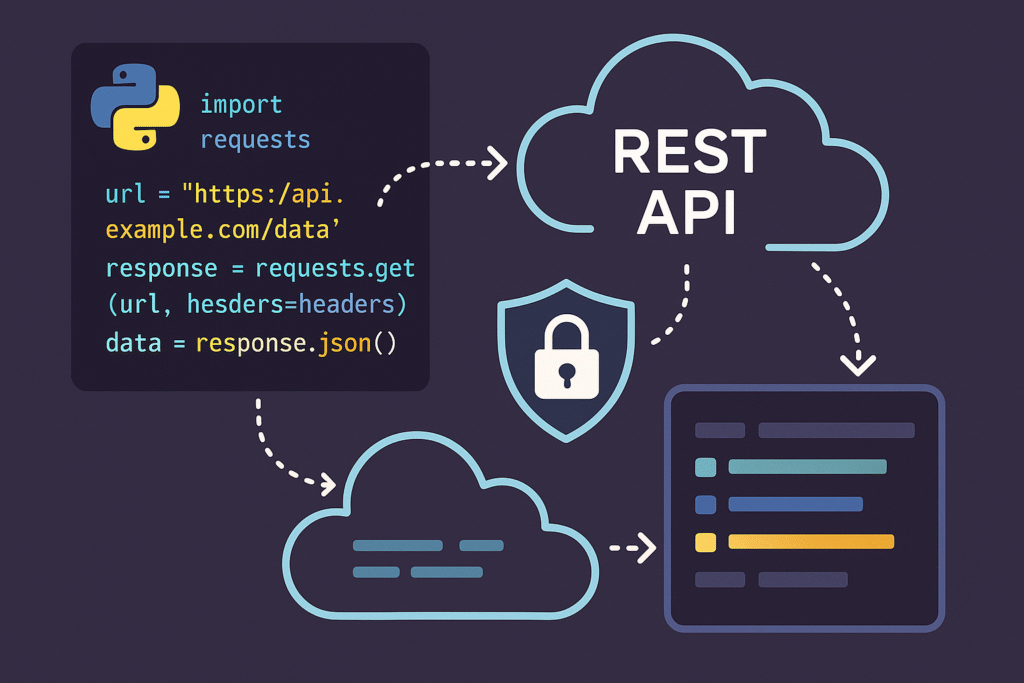

Mastering RESTful API Calls in Python: From Requests to Automation
Introduction
Modern software development is inseparable from APIs. Whether you’re pulling financial data, integrating with cloud services, or automating admin tasks, making robust API calls is a must-have Python skill. In this article, we’ll dive deep into the essentials of RESTful API calls in Python, including practical code samples, best practices, and optimization tips for developers who want to level up their integration workflows.
1. Basics of REST and HTTP Methods
RESTful APIs are based on the HTTP protocol and its methods: GET (retrieve), POST (create), PUT (update), and DELETE (remove). Python’s requests library makes these operations straightforward and developer-friendly.
import requests

response = requests.get('https://jsonplaceholder.typicode.com/posts/1')
if response.status_code == 200:
    data = response.json()
    print("Title:", data['title'])
Explanation: This snippet fetches a post using a GET request. We first check for a 200 OK status code, ensuring the call succeeded, and then extract JSON content.
Tip: Always verify the response status code to handle errors gracefully.
2. Making POST Requests and Sending Data
To send data to an API (e.g., creating a resource), use a POST request. Payloads are usually sent as JSON, and setting the correct headers is crucial for proper communication.
payload = {'title': 'New Post', 'body': 'Python is awesome!', 'userId': 1}
headers = {'Content-Type': 'application/json'}
response = requests.post('https://jsonplaceholder.typicode.com/posts',
                         json=payload, headers=headers)
if response.status_code == 201:
    print("Created:", response.json())
Explanation: This example posts a new record. We pass data through the json parameter and specify JSON headers.
Performance Tip: Prefer json= over data= to have requests set Content-Type for you and serialize automatically.
3. Handling Authentication and Secure APIs
Most production APIs require authentication, typically via token-based schemes like Bearer tokens. Let’s authenticate with an API using an access token:
api_token = 'your_token_here'
headers = {
    'Authorization': f'Bearer {api_token}',
    'Accept': 'application/json'
}
response = requests.get('https://api.sample.com/data', headers=headers)
print(response.status_code, response.text)
Best Practice: Always keep API tokens and secrets outside source code, using environment variables or secret management tools.
4. Error Handling and Retrying Failed Calls
APIs aren’t always reliable. Network hiccups or rate limits can disrupt calls. Build reliability by handling common errors and automatically retrying transient issues:
import time
for attempt in range(3):
    try:
        resp = requests.get('https://httpstat.us/503')
        resp.raise_for_status()
        break
    except requests.exceptions.HTTPError as e:
        print(f"Attempt {attempt+1} failed: {e}")
        time.sleep(2 ** attempt)
    except requests.exceptions.RequestException as e:
        print("Other error:", e)
        break
Explanation: We retry up to three times, doubling the pause between attempts (exponential backoff). raise_for_status() raises exceptions for HTTP errors.
Automation Tip: Use libraries like tenacity for more advanced retry patterns.
5. Automating API Calls With Python Scripts
Python scripts can regularly call APIs to automate reporting, sync, or deployment workflows. Here’s how to schedule periodic API calls (e.g., fetching status every 60 seconds):
import time

def fetch_status():
    response = requests.get('https://api.github.com')
    print(f'Status: {response.status_code} at {time.ctime()}')

while True:
    fetch_status()
    time.sleep(60)  # Wait a minute
Real-World Use Case: Automate health checks for your SaaS or monitor uptime via API endpoints.
Optimization Strategy: Consider async frameworks (like httpx or aiohttp) for high throughput or parallel calls.
Conclusion
RESTful API integration is pivotal in Python applications across industries. With robust libraries, error handling, authentication, automation, and a focus on best practices, you can build reliable and performant workflows. Experiment with these code patterns and apply them to your projects to unlock new automation and data integration possibilities.
Useful links: